Necessary cookies are required to enable the basic features of this site, such as providing secure log-in or adjusting your consent preferences. These cookies do not store any personally identifiable data.



AI Helpdesk
One place to ask, whoever owns the answer.
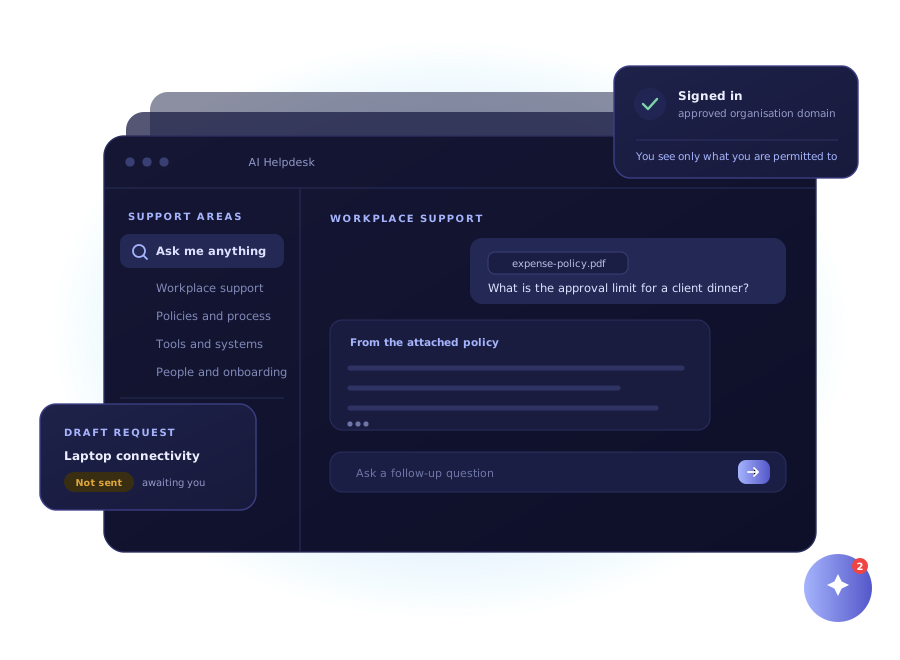
A secure desktop assistant that connects employees to authorised knowledge, specialist support areas, document-aware answers and drafted service requests, without leaving the work they are doing.
What It Is
A front door to internal support, not another portal
AI Helpdesk sits on the desktop and connects employees to the support areas configured for your organisation. It is a way in to the teams and knowledge you already have, not a replacement for them.
Today
Support spread thin
- Answers scattered across portals and inboxes
- Guessing which team owns the request
- Retyping the contents of a document
- Every session starts from nothing
- Leaving the chat to fill in a form
- No view of what employees keep asking
With AI Helpdesk
Support in one place
- One place to ask, whatever the topic
- Support areas surfaced for you to choose
- Attach the file and ask about it directly
- Conversations reopen with their context
- A request drafted, ready for you to submit
- Operators can see volume, latency and failures

Why It Matters
Most of the delay is deciding who to ask.
The answer usually exists somewhere. The time goes on working out which team, policy or system owns it, and then explaining the situation again to whoever picks it up.
Support areas
Pick the right specialist, or start broad
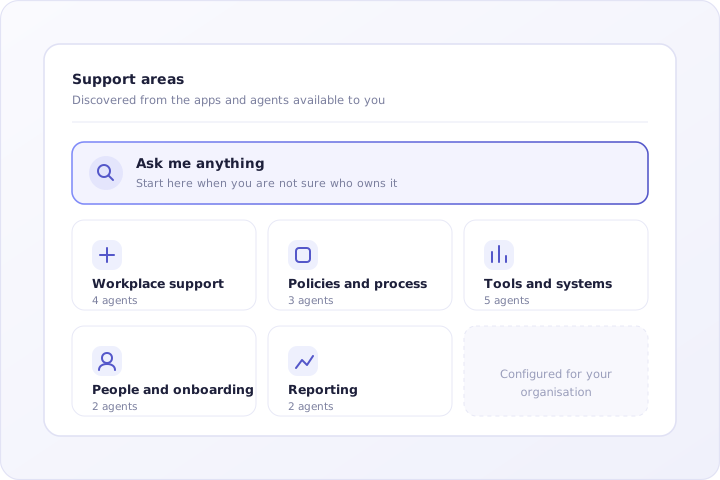
The assistant discovers the apps and agents available to you and presents them as grouped support areas. When you know who owns the question you go straight there, and when you do not you start with Ask Me Anything.
Without it: you spend ten minutes deciding whether a question belongs to IT, facilities or HR, then send it to the wrong one and wait a day to find out.
Document-aware answers
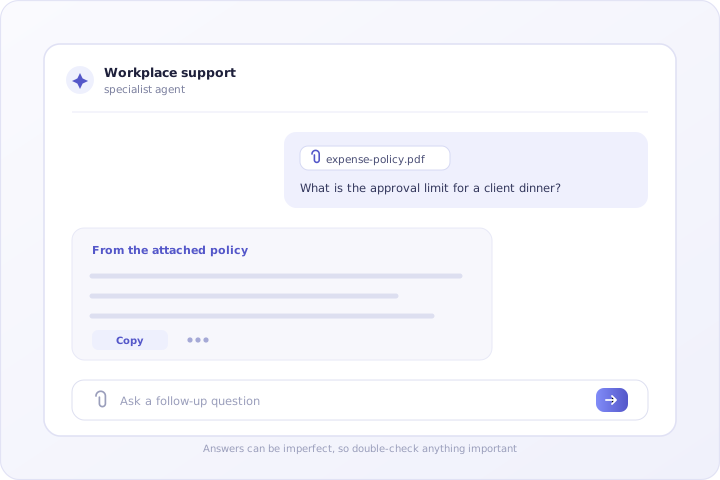
Attach the file and ask about it
Attach a policy, spreadsheet, presentation, export or log and ask your question against it. Text is extracted from common business formats and used as context, so you can point at a document rather than retyping half of it.
Without it: you paste four paragraphs of a policy into a message to explain what you are asking about, and still get an answer about something slightly different.
Continuity
Carry on from where you stopped
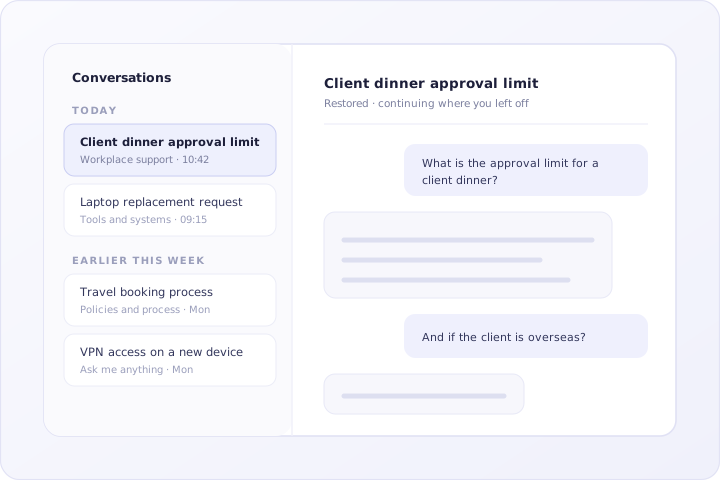
Conversations are kept and grouped by recency, so you can reopen an earlier thread and continue it with its context intact instead of explaining the situation from the beginning again.
Without it: every session starts cold, so you re-describe the same problem to the same system for the third time this week.

Requests
A request drafted for you, submitted by you
Where a connector is configured, the assistant can prepare a structured service request from the conversation and present it for review. You check the detail and submit it. Nothing is filed on your behalf from inside an answer.
Without it: raising a ticket means leaving the conversation, finding the right form, and retyping everything you have just finished explaining.

Desktop presence
Close to the work, not another tab to find
A compact window sits beside what you are doing, expands when a question needs room, and drops to a floating bubble when you minimise it. Sign-in is through Google with verified email and approved organisation domains, and what you can reach is shaped by the permissions you already have.
Without it: the support tool is one more browser tab that gets closed on Monday and rediscovered on Thursday, by which point the question has been asked in a group chat instead.
What A Reply Looks Like
The answer is the easy half. This is the other half.
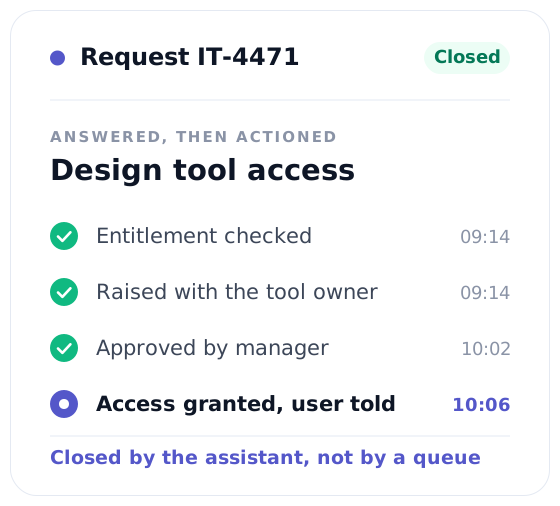
Two ordinary requests, and what actually happened after each one.
EmployeeI need access to the design tool for the new project.
AI HelpdeskUnderstood, and handled.
- Checked the entitlement against your role
- Raised request IT-4471 with the tool owner
- Sent your manager the approval it needs
- Set a reminder to close the loop in 24 hours
EmployeeHow many leave days do I have left this year?
AI HelpdeskEleven days, four of which expire in March.
- Read your record against the current leave policy
- Flagged the four days before they lapse
- Offered to open the leave request there and then
Where It Is Used
The questions employees ask every week
Policy and process questions
Access and account issues
Device and connectivity problems
Onboarding questions
Tool and system guidance
Document and report queries
Raising structured service requests
General enterprise knowledge lookup

Built For Teams
A productivity layer, not a replacement for your people
Routine questions get answered and requests arrive structured, so support teams spend their time on the problems that genuinely need a person.
Who It Is For
Four groups, four different reasons to need it
Employees
A single place to ask, whether the answer sits in a policy, a system, a specialist team or a document on your own machine.
Internal Support Teams
Fewer repeat questions arriving by email and chat, and requests that turn up structured rather than as a paragraph of prose.
IT and Service Owners
Support surfaced through the agents and apps you already configure, with access shaped by the signed-in employee.
Operations Leads
A password-protected operations view showing query volume, latency, source distribution and failures.
Contact Us
Get in Touch with us
We’re here to assist you! Whether you have questions, need support, or want to discuss your project, our team is ready to help. Reach out today, and let’s explore how we can work together to achieve your goals.